Same 200 transactions, 75% less time.
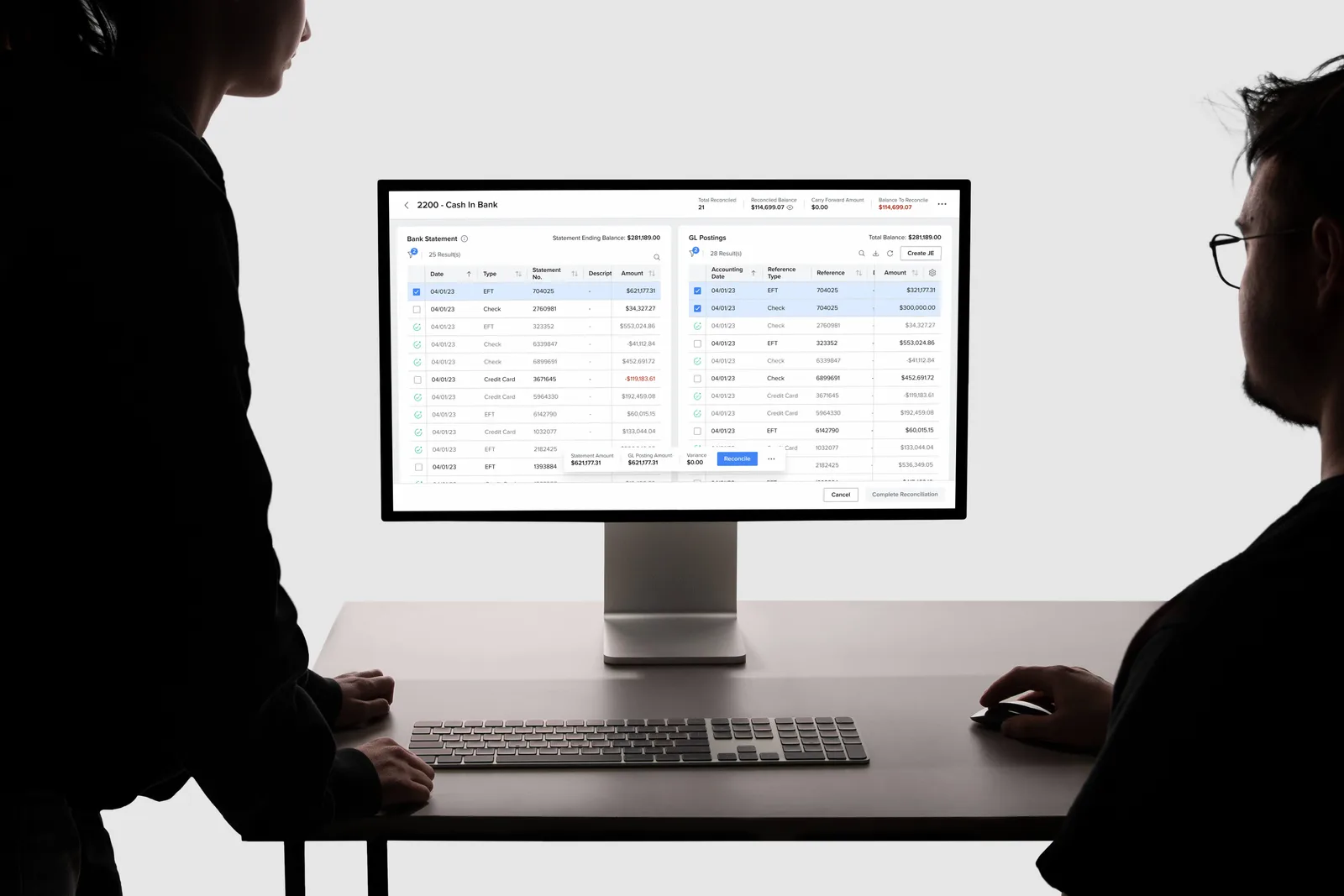
Every day, a dealership's accounting clerk checks each bank transaction against the books. In Tekion's dealership software, that meant a PDF on one side of the screen, thousands of entries on the other, and hours of ticking boxes. I rebuilt it around the bank's own data, so most transactions now match themselves.
- Role
- Product Designer
- Team
- Lead Product Designer, Product Manager
- Timeline
- 6 months
The problem
a PDF, and a lot of ticking
The clerk uploaded the bank's statement as a PDF, then worked down it line by line: find the transaction among the accounting entries, tick it, repeat.
Support tickets and interviews with accounting experts kept pointing to the same three problems.
- 2–4 hoursfor a batch of 100–200 transactions.
- Messy paymentsSplit payments, partial payments and timing gaps were where clerks got stuck.
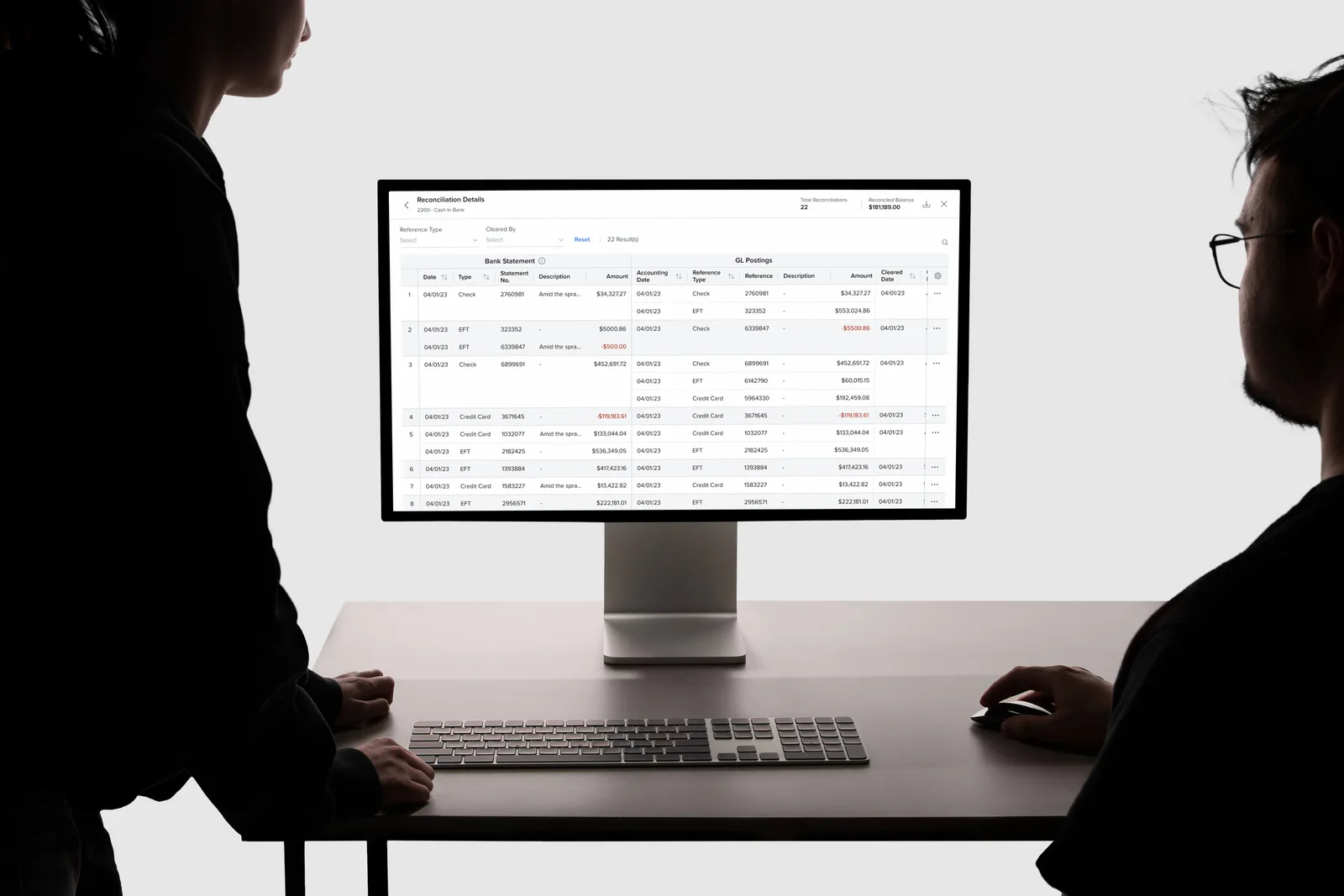
- No trailNothing showed which bank transaction was matched to which entry.
The idea
let the bank's file do the matching
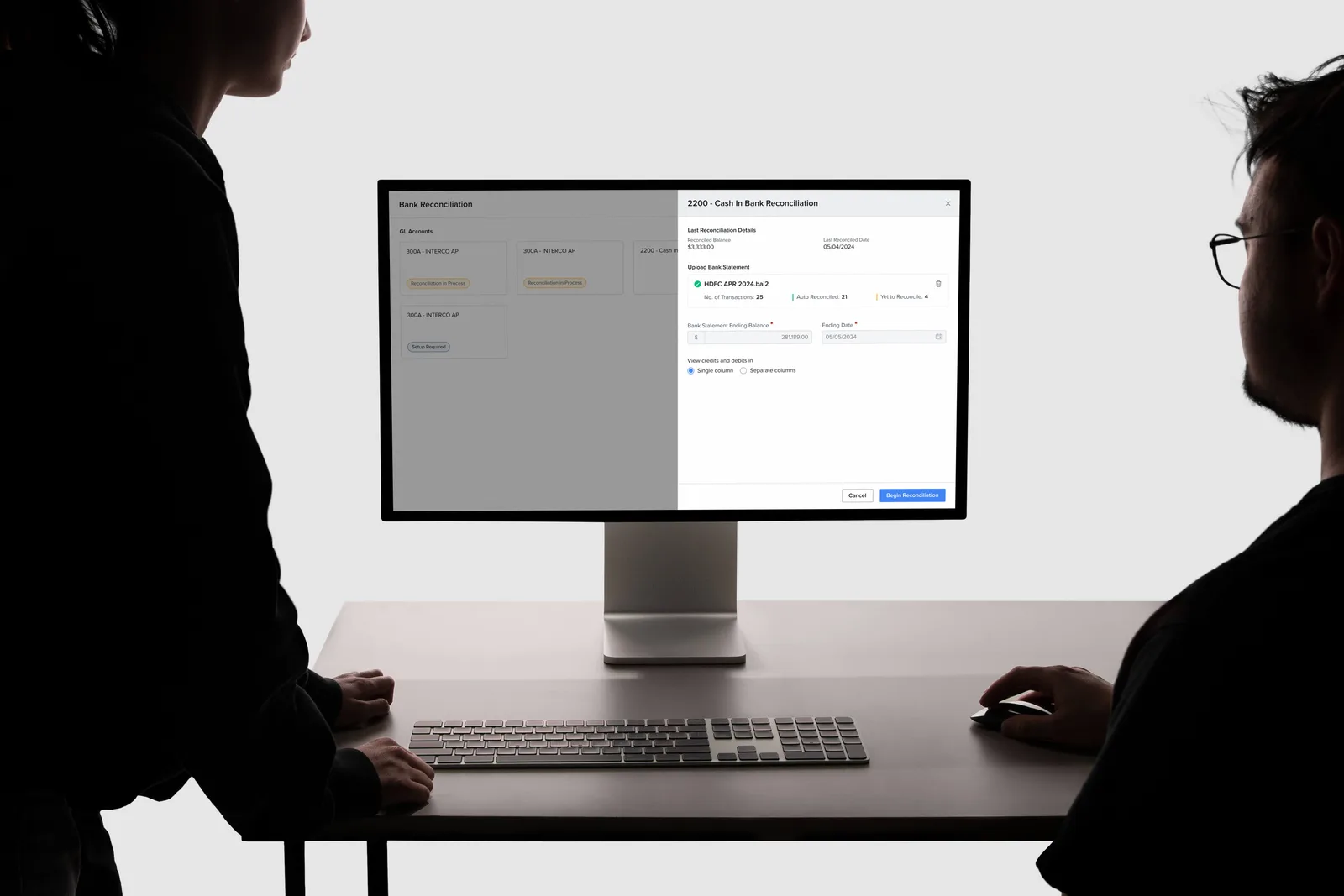
Banks already send this data as a BAI2 file, a standard since 2001, a year before I was born. The product never used it.
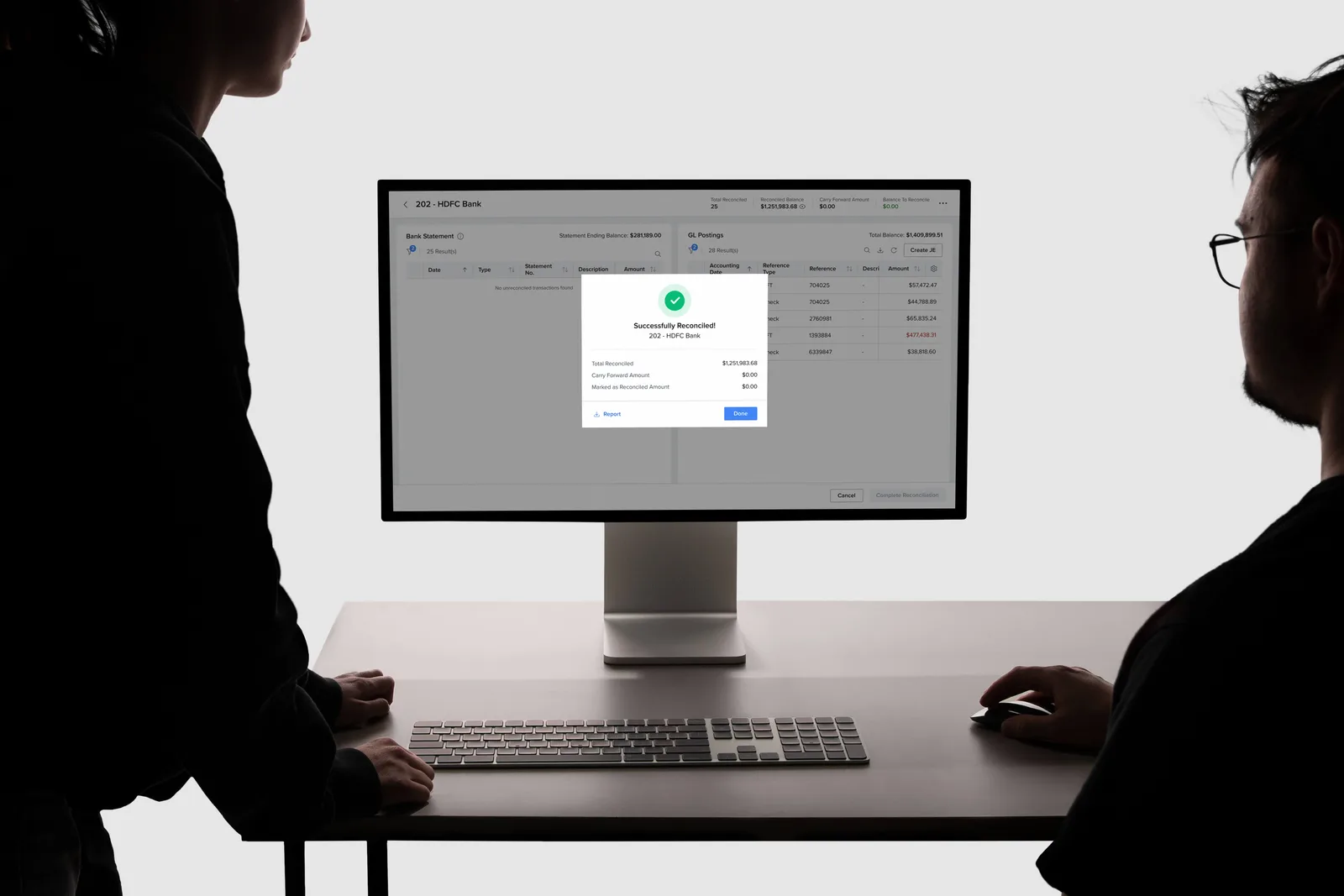
So we read that file. Most transactions match on their own. The rest sit side by side, bank on the left, books on the right. Pick rows on both sides, and once the amounts agree, reconcile.
- Match, don't splitOne deposit can pay for three things. Select several rows on each side and match them together.
- Two marks, not four statusesOne for matched by hand, one for matched automatically. Everything else needs action.
- Every match on recordA details page and a summary PDF show what was matched to what, and who did it.
Impact
after a year live
Measured at the end of 2024, a year after launch. Manual errors were down 40%, and a dealership handling 500 transactions a month got 8–10 staff hours back.
- 75%faster: a 200-transaction batch went from 3 hours to 45 minutes.
- 60%of transactions matched automatically, up from none.
- 4.4/5satisfaction from dealerships, up from 2.1.